
RSDS / Parish & town council websites
A website that works for your parish.
Help residents find the right information. Give your clerk a simpler way to keep it up to date. Make the move from your existing website a planned, supported project.
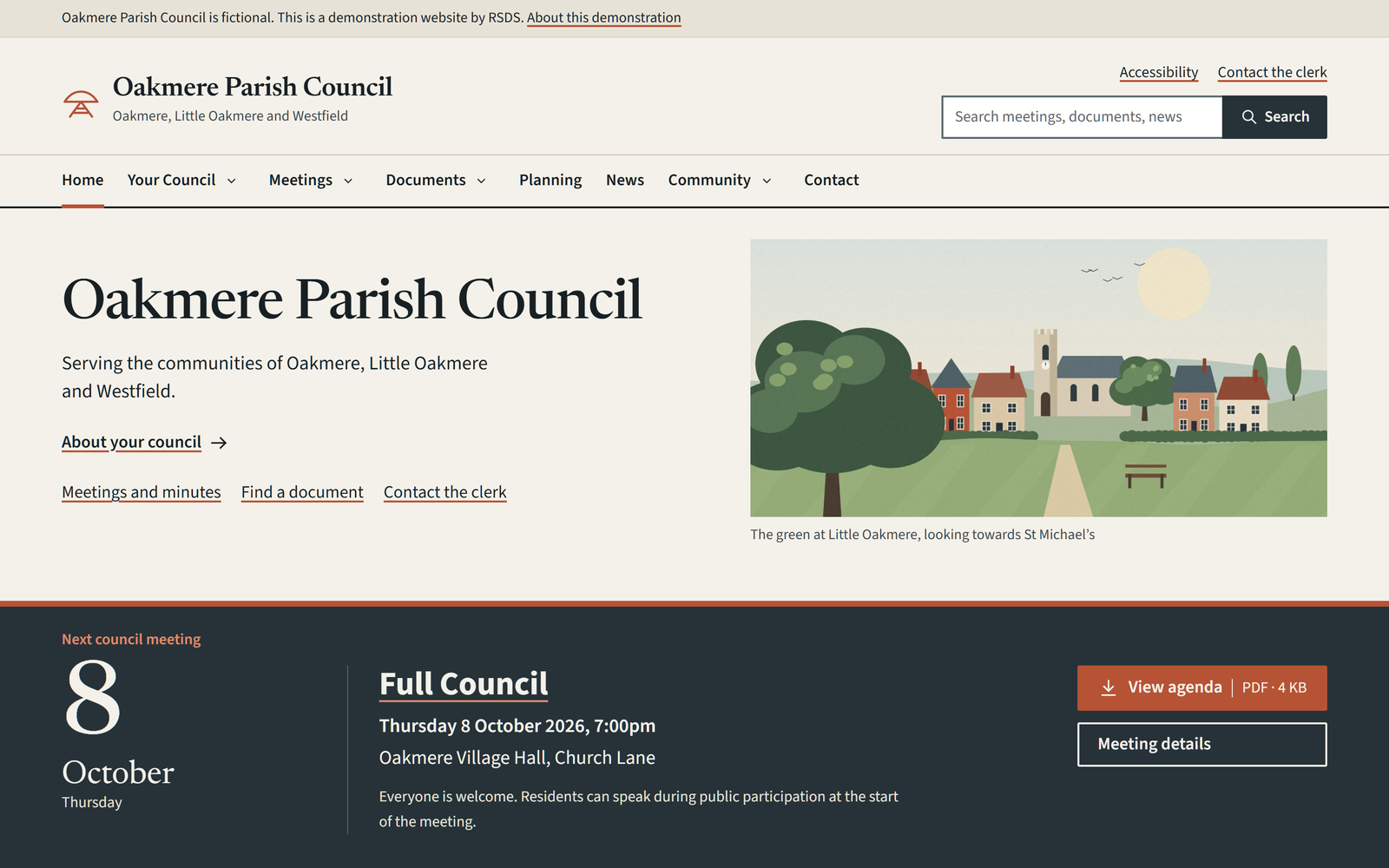
For the people who use it
Less searching.
More finding.
Residents arrive with a task: find the next meeting, read the minutes, contact a councillor or report a problem. The website should help them get there quickly.
Meeting information together
Dates, venues, agendas, papers and clearly labelled draft or approved minutes.
A useful document library
Readable titles and filters by category and year, with file types and sizes shown before downloading.
Clear contact routes
Help residents reach the clerk, their councillor or the authority responsible for their issue.
Readable on a phone
Practical navigation, clear text and useful information without a desktop-sized layout.
For the person keeping it updated
Council work.
Without the clutter.
The clerk’s dashboard puts meetings, documents, news and councillors in reach. Structured fields keep pages consistent without asking you to become a web designer.
Create the next meeting
Start fresh or reuse a meeting’s committee, time and venue in a new draft.
Add this meeting’s information
Choose its date and attach its agenda. Old papers and minutes do not carry over.
Check, then publish
Preview the page before publication. Published meetings appear in the relevant website listings.
Moving from an existing website
A careful move.
A clear handover.
Your archive matters. We start by agreeing what you have, what needs to move and what needs attention. Migration limits and document work are set out in the quotation.
A large archive or inaccessible scanned documents may need a separate content project. That is identified before the move.
Review and agree
Inventory pages, files, forms, existing addresses and access arrangements. Agree the scope and responsibilities.
Build and migrate
Prepare the new site, organise agreed content and map old addresses to their replacements.
Check and train
Review key resident journeys, documents and accessibility findings. Practise routine publishing with the clerk.
Approve and switch
Launch after council sign-off, verify redirects and contact routes, and hand over the agreed records and support details.
Service & costs
Choose how much help you need.
A written quotation separates the initial project from the annual service. You can compare the full three-year cost before making a decision.
| What is agreed | Clerk-managed | Managed publishing |
|---|---|---|
| Day-to-day updates | Your clerk publishes content | RSDS publishes supplied, approved content within an agreed allowance |
| Initial project | Council branding, scoped migration, configuration, training and launch checks | |
| Annual service | Hosting, maintenance, backups and support, with the schedule and responsibilities specified | |
| Additional work | Archive remediation, additional training, new functionality, email and domain services itemised separately | |
| Price | Fixed quote following a content review | Fixed quote plus an agreed publishing allowance |
There is no automatic commitment when you enquire. Your quotation sets out VAT treatment, renewal costs, support hours, response targets and any third-party charges. Prices are not final until the scope is agreed.
Evidence and responsibilities
Know what you’re getting.
RSDS is the independent studio of Ryan Stephens. You work directly with the person building your website. Oakmere is a self-initiated demonstration, not a claim of delivered council client work.
The service scope should be as clear as the website itself.
Accessibility
The project aims at WCAG 2.2 AA, with an agreed testing scope, recorded findings and an accurate accessibility statement. Uploaded documents are reviewed separately; a template cannot make every PDF accessible.
Ownership and continuity
The council retains ownership of its domain and content. Hosting access, backups, exports and the process for changing supplier are documented in the agreement.
Domains and email
A .gov.uk domain and council email can be coordinated with an appropriate registrar or your existing IT supplier. These are separately scoped services, not hidden extras.
Government accessibility guidance · Parish council domain guidance
Questions before you change supplier.
Can we keep our existing domain?
Usually, yes. We first check ownership and access with your current supplier. A move to .gov.uk can be planned separately, with old addresses and redirects considered as part of the move.
Will all our old documents move?
The quotation identifies the content included in migration. We inventory the archive first, flag missing or unreadable files and agree any exclusions. Nothing is silently treated as disposable.
Will our clerk need WordPress experience?
The demonstration uses a simplified council dashboard and labelled fields. Training covers your actual tasks. You can see the workflow before deciding, and any additional training is priced in the quotation.
What if we want to move away later?
The agreement defines handover of content, domain control and the files and data needed by a replacement supplier. Any assistance charges and licence limits are identified in advance.
Can we try the editing tools?
Yes, request a guided demonstration. Public access to an unrestricted admin account is not provided. The walkthrough shows the actual local demonstration screens without giving access to shared data.
Start with your existing website
Tell me what needs to work better.
Send your current website address and the main problem you want to solve. I can use that to prepare a focused discussion about scope, migration and next steps.
Ryan Stephens
Independent designer and developer
[email protected]
Please do not include passwords, resident case details or confidential council papers.